CONNECT YOUR GOOGLE ANALYTICS TO

In less than 3 minutes
STEP 1: GO TO GOOGLE ANALYTICS
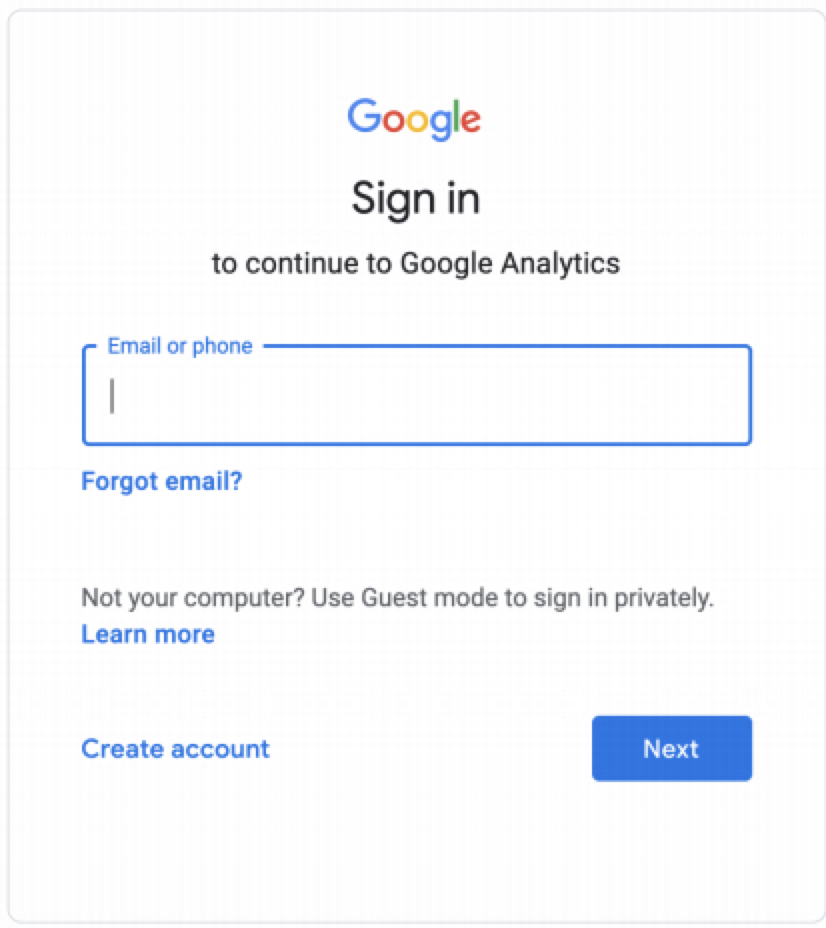
This is the standard way to connect to the platform, and will provide all necessary data track ad response. Results will be available as far back as your Google Analytics has been collecting data.
Go to: https://analytics.google.com
And log in to your account.
If you don't see a dropdown on the top left with properties, or are prompted to sign up for Google Analytics, you're not in the right account. Try a different user name and password or contact support@analytichelp.com .
If you see properties, continue with these instructions.
STEP 2: GO TO 'ADMIN'
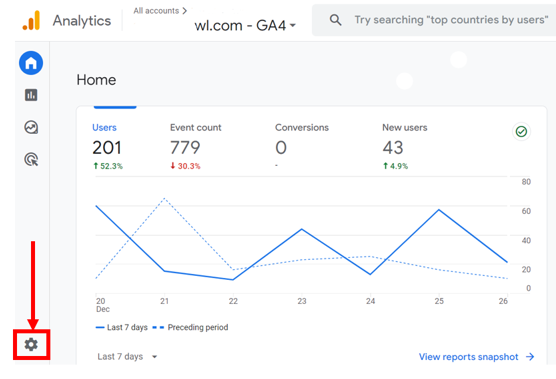
Click on the 'Admin' button at the bottom left
If you do not see the 'Admin' button, you might not have the access level necessary to add users. If this is the case, please reach out to whoever manages your website to ask if they have Admin Access.
STEP 3: PROPERTY ACCESS MANAGEMENT

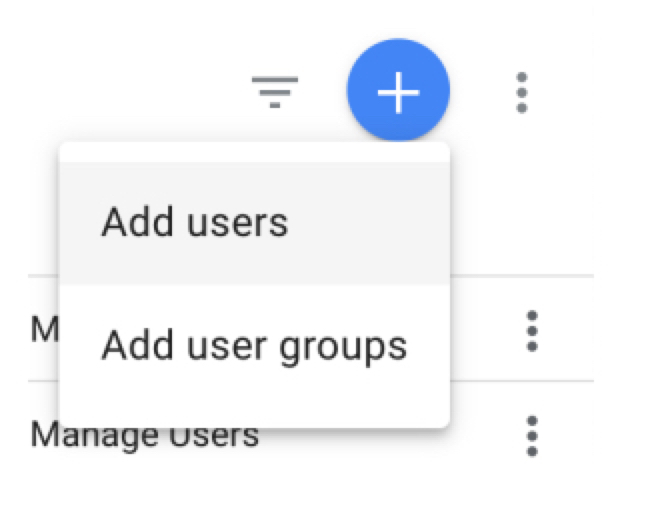
Click on Property Access Management
This will allow you to add users to the account.
Then click on the blue icon to 'Add users'
STEP 4: ADD USER EMAIL
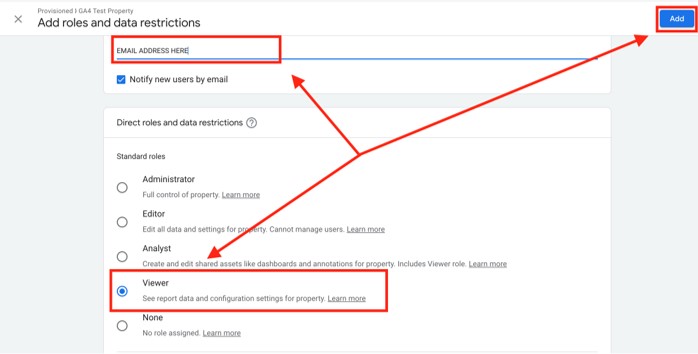
Add this email address
ga.analyticowl12.ao@gmail.com
Be sure to keep the 'Notify new users by email' box checked.
Select 'Viewer' as the level of access. and click 'Add'.
THAT'S IT, YOU'RE ALL SET! PLEASE LET THE PERSON WHO SENT YOU HERE KNOW YOU HAVE COMPLETED THE PROCESS AND CC:
support@analyticowl.com